 AFI
AFI
Happy Forms
Happy Forms is a friendly drag-and-drop form builder for WordPress, designed for non-technical users. Advanced Form Integration captures every Happy Forms submission and routes the data to any of 200+ destinations.
What you’ll need
- The Happy Forms plugin (free or Pro) installed and activated.
- The Advanced Form Integration plugin installed and activated.
- A Happy Form built and published.
Supported form fields
| Field type | Supported | Output format / notes |
|---|---|---|
| Text | Yes | Same as input |
| Yes | Same as input | |
| Number | Yes | Same as input |
| Phone | Yes | Same as input |
| URL | Yes | Same as input |
| Textarea | Yes | Same as input |
| Select | Yes | The selected option |
| Radio | Yes | The selected option |
| Checkbox | Yes | Comma-separated selected values |
| Date | Yes | YYYY-MM-DD |
| Hidden | Yes | Same as the hidden value |
| File upload | Yes | Comma-separated public URL(s) (Pro) |
Create the integration
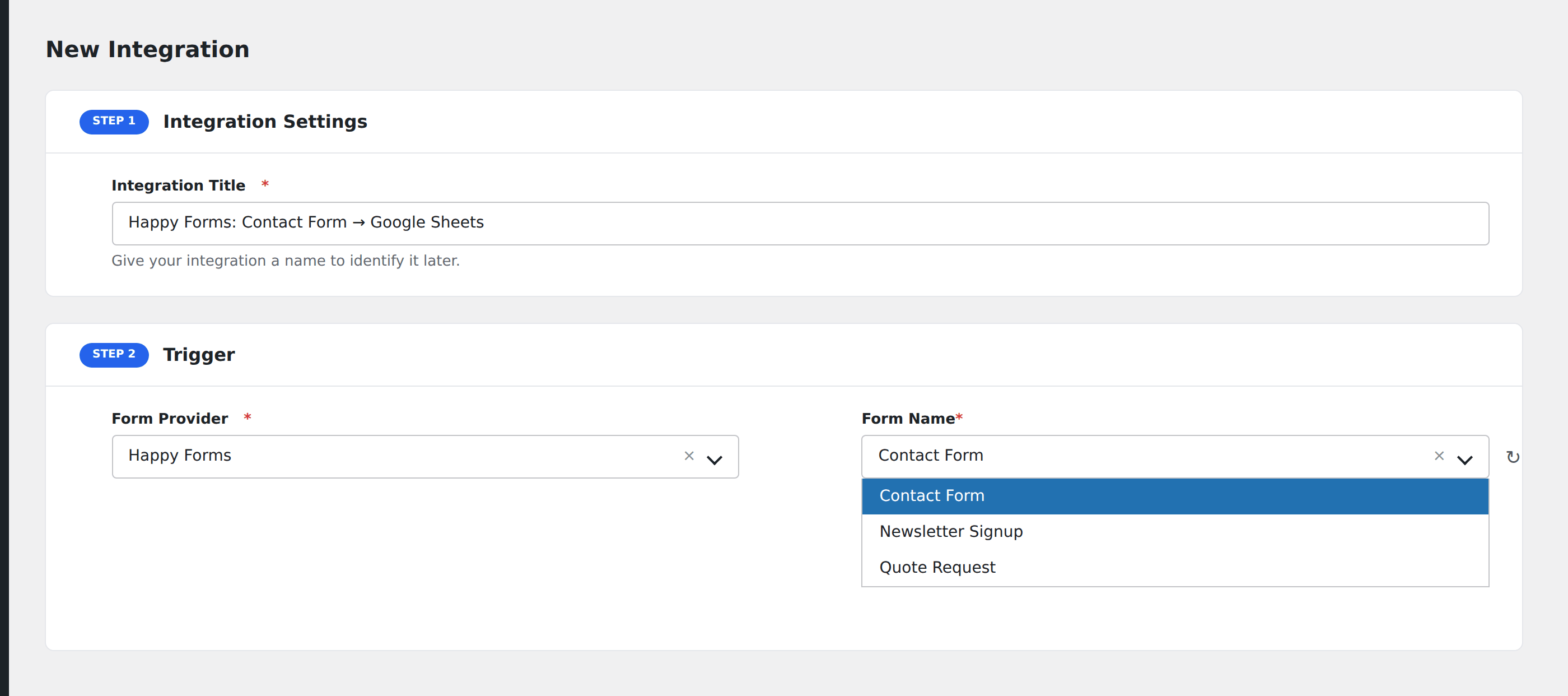
- Go to WP Admin → AFI → Add New.
- Enter an Integration Title.
- In Trigger → Form/Data Provider, select Happy Forms.
- In Form/Task Name, choose the form to listen on.
- In Action → Platform, pick the destination and complete the field mapping.
- Optional: configure Conditional Logic.
- Click Save Integration.
Conditional logic example
Goal: when a Happy Form is submitted with Subscribe to newsletter ticked, also add the email to a Mailchimp list.
Create the Mailchimp integration. Open the Conditional Logic panel, add a condition with the subscribe field, Equal To, value 1.
Troubleshooting
Form not appearing in the Form/Task Name dropdown
Happy Forms registers a form on first publish. Re-save the form, then reload the AFI integration screen.
File-upload field empty in destination
File uploads are a Pro feature. The free Happy Forms doesn’t expose file URLs. Confirm Pro is active.