 AFI
AFI
WPC Smart Wishlist for WooCommerce
WPC Smart Wishlist adds a lightweight AJAX wishlist to WooCommerce, working for both logged-in customers and guests. Advanced Form Integration captures wishlist additions and routes the data to any of 200+ destinations.
What you’ll need
- WooCommerce and the WPC Smart Wishlist plugin installed and activated.
- The wishlist button enabled on your product pages.
- The Advanced Form Integration plugin installed and activated.
When the trigger fires
AFI registers a single Product Added To Wishlist trigger for WPC Smart Wishlist. It fires when a visitor adds a product to their wishlist.
Data captured
| Field | Field key | Format |
|---|---|---|
| Product ID | product_id |
Numeric ID |
| Product Name | product_name |
Text |
| Product URL | product_url |
Absolute URL |
| User ID | user_id |
Numeric ID, empty for guests |
| User Email | user_email |
Email address, empty for guests |
Create the integration
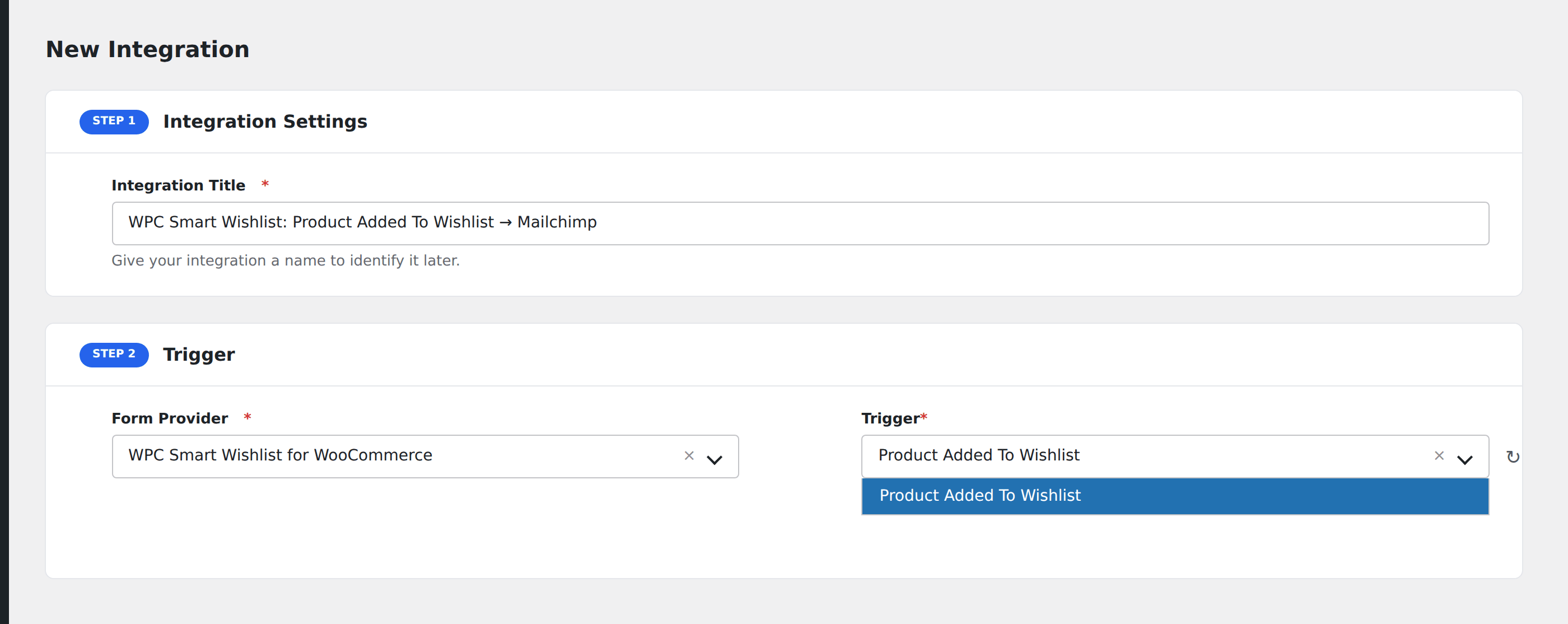
- Go to WP Admin → AFI → Add New.
- Enter an Integration Title, e.g.
WPC Smart Wishlist: Product Added To Wishlist → Mailchimp. - In Trigger → Form/Data Provider, select WPC Smart Wishlist for WooCommerce.
- In Form/Task Name, choose Product Added To Wishlist.
- In Action → Platform, pick the destination and complete the field mapping.
- Optional: configure Conditional Logic so only matching events are sent.
- Click Save Integration.
How AFI listens for wishlist activity
AFI hooks woosw_add, fired from the ajax_add() method in wpc-smart-wishlist.php. The plugin raises it at the end of the handler including on the failure path, where the product ID is reset to 0, so AFI guards against that case and dispatches only for a real product. Registration is guarded by defined( 'WOOSW_VERSION' ).
How the customer is identified
The hook passes an opaque wishlist key rather than a user ID. For a logged-in visitor that key is stored as their woosw_key user meta, so AFI resolves the owner with a reverse meta lookup. For guests the key is just a cookie value with no owning WordPress account, so User ID and User Email come back empty. That is expected behaviour, not a fault.
Troubleshooting
User Email is always empty
Your visitors are wishlisting as guests. Enable the plugin’s Disable for unauthenticated option, or add Conditional Logic so the integration only runs when User ID is not 0.
Removals do not fire
This trigger covers additions only.