 AFI
AFI
Otter Blocks Form
Otter Blocks from ThemeIsle extends the WordPress block editor with page-building blocks, including a native Form block. Advanced Form Integration captures form block submissions and routes the data to any of 200+ destinations.
What you’ll need
- The Otter Blocks plugin installed and activated.
- At least one Form block published on a page or post.
- The Advanced Form Integration plugin installed and activated.
When the trigger fires
AFI registers a single Any Otter Form Submitted (site-wide) trigger for Otter Blocks Form. It fires when an Otter form block submission passes anti-spam and validation and its record is saved.
Data captured
| Field | Field key | Format |
|---|---|---|
email |
Email address, best effort | |
| Name | name |
Text, best effort |
| Message | message |
Text, best effort, line breaks preserved |
| Form Option ID | form_option_id |
Text, the saved Otter form configuration id |
| Form Record ID | record_id |
Numeric ID, empty when Otter is not storing submissions |
| All Fields | all_fields_json |
JSON object serialised as a string, jSON, for fields not listed above |
Create the integration
- Go to WP Admin → AFI → Add New.
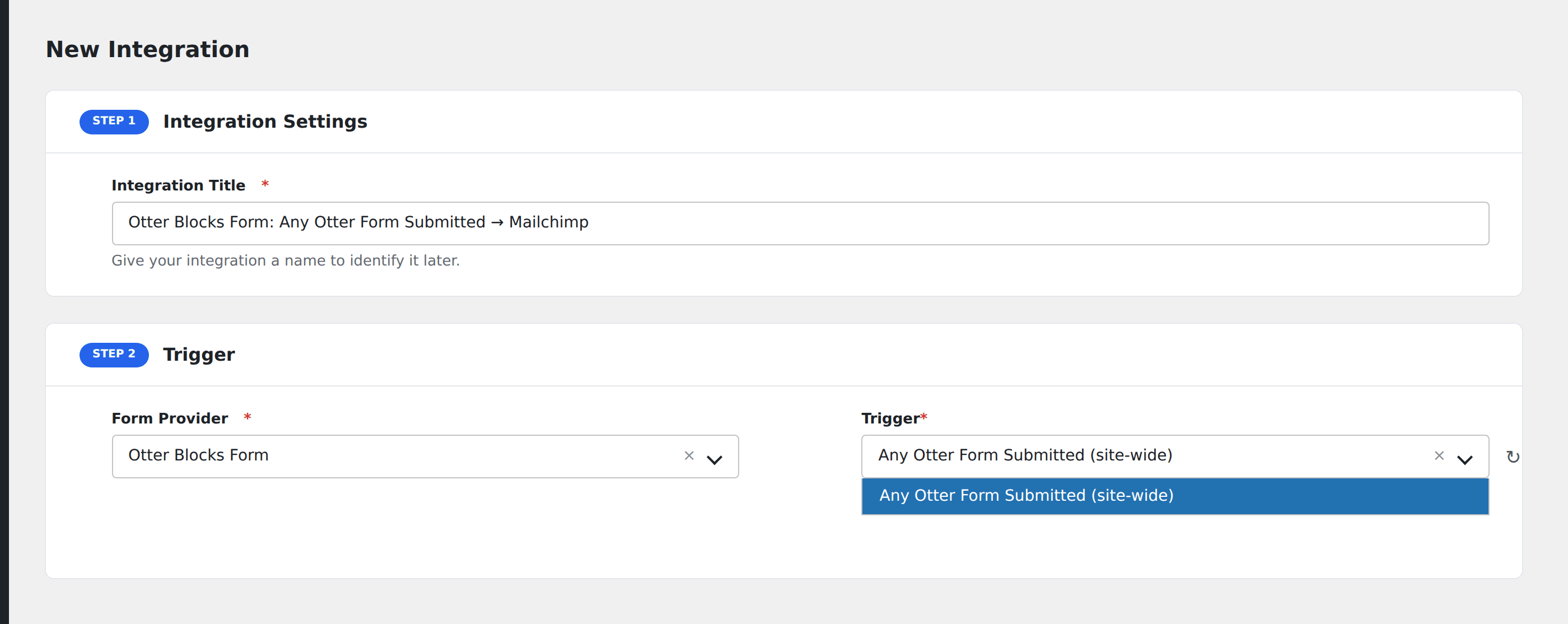
- Enter an Integration Title, e.g.
Otter Blocks Form: Any Otter Form Submitted → Mailchimp. - In Trigger → Form/Data Provider, select Otter Blocks Form.
- In Form/Task Name, choose Any Otter Form Submitted (site-wide).
- In Action → Platform, pick the destination and complete the field mapping.
- Optional: configure Conditional Logic so only matching events are sent.
- Click Save Integration.
How AFI listens for submissions
AFI hooks otter_form_after_submit, fired from the frontend() method in inc/server/class-form-server.php only on the success path, after anti-spam and validation pass, after the submission Record is saved, and after any configured provider has been called. A rejected submission never reaches it. This is a genuine public extension point rather than an internal detail: at least one other shipping plugin, LightStart (WP Maintenance Mode), already hooks it for its own subscriber capture. Registration is guarded by defined( 'OTTER_BLOCKS_VERSION' ).
One trigger for the whole site
Otter forms are individual blocks embedded in arbitrary posts and pages, much like Elementor Pro’s form widget, with no separate enumerable list. AFI therefore registers one site-wide trigger. Form Option ID identifies which form configuration was used, so Conditional Logic on that field lets you route different forms to different destinations.
Best-effort field aliases
Otter exposes each input as a label, type, and value triple. AFI flattens all of them into All Fields (JSON) and additionally pulls out three convenience fields: Email through Otter’s own get_first_email_from_input_fields() helper, plus Name and Message matched by label and field type. Those three are best-effort; the JSON payload is always complete.
Troubleshooting
Name or Message is empty
The label matching did not find an obvious candidate. Rename the input to Name, or read the value out of All Fields (JSON) instead.
Submissions are silently dropped
Otter runs its own anti-spam check before this hook. Check the Form block’s spam protection settings and any reCAPTCHA keys if legitimate submissions are not arriving.