 AFI
AFI
All-In-One Security (AIOS)
All-In-One Security (AIOS) is a free security plugin from UpdraftPlus that hardens WordPress logins, firewalls, and file permissions. Advanced Form Integration captures lockout events and routes the data to any of 200+ destinations.
What you’ll need
- The All-In-One Security (AIOS) plugin installed and activated.
- Login lockdown enabled in WP Security → Brute Force → Login Lockdown.
- The Advanced Form Integration plugin installed and activated.
When the trigger fires
AFI registers a single Login Locked Out trigger for AIOS. It fires when AIOS locks out an IP or IP range after too many failed login attempts.
Data captured
| Field | Field key | Format |
|---|---|---|
| Attempted Username | username |
Text, the login name that was attempted |
| User Email | user_email |
Email address, empty when the attempted username is not a real account |
| IP Address / Range | ip_address |
A single IP address or an IP range |
| Lockout Time | lockout_time |
YYYY-MM-DD HH:MM:SS, site time |
Create the integration
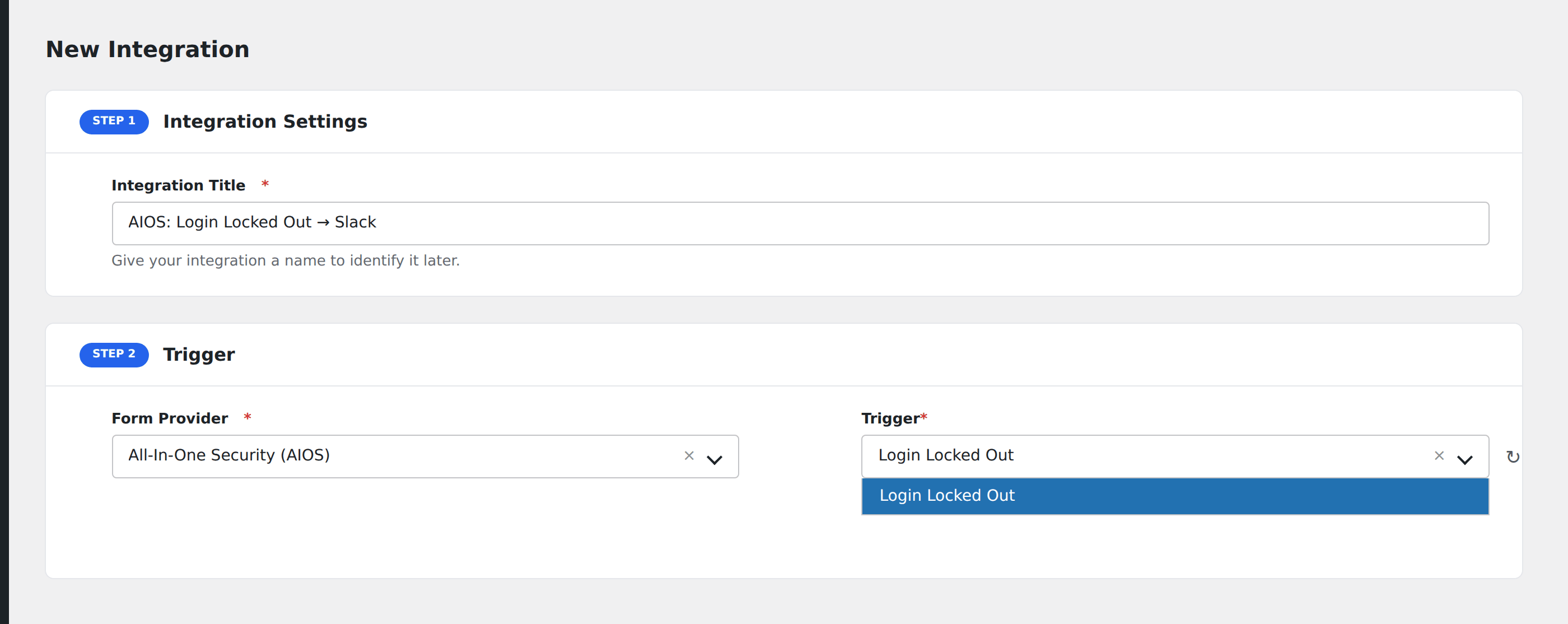
- Go to WP Admin → AFI → Add New.
- Enter an Integration Title, e.g.
AIOS: Login Locked Out → Slack. - In Trigger → Form/Data Provider, select All-In-One Security (AIOS).
- In Form/Task Name, choose Login Locked Out.
- In Action → Platform, pick the destination and complete the field mapping.
- Optional: configure Conditional Logic so only matching events are sent.
- Click Save Integration.
How AFI listens for lockouts
AFI hooks aiowps_lockdown_event, which AIOS fires from lock_the_user() in classes/wp-security-user-login.php immediately after the lockdown row is written to its login-lockdown table and before it sends its own lockout notification email. The hook only passes the IP range and the attempted username, so AFI adds the server timestamp itself. Registration is guarded by class_exists( 'AIO_WP_Security' ), so nothing runs unless AIOS is active.
About the email field
Brute-force attempts usually guess usernames that do not exist on your site. AFI still tries get_user_by( 'login', ... ) so you get a real address when a genuine account was targeted, but an empty User Email is the normal case, not a fault. Map Attempted Username and IP Address / Range as your primary identifiers and treat the email as optional.
Troubleshooting
Nothing fires during a brute-force test
AIOS only raises the lockdown event once the configured attempt threshold is crossed inside the configured time window. Check WP Security → Brute Force → Login Lockdown, confirm the feature is on, and lower Max Login Attempts temporarily while you test.
Your own IP is whitelisted
A whitelisted IP never triggers a lockdown, so the hook never fires. Test from a different network or a private browsing session on mobile data.