 AFI
AFI
MailerLite (new API)
This integration uses the modern MailerLite API (v2), the current default for all new MailerLite accounts. If your account is on the legacy “MailerLite Classic” platform (older accounts that haven’t migrated), use the MailerLite Classic doc instead.
What you’ll need
- An active MailerLite account on the new platform.
- A MailerLite API token (Integrations → MailerLite API → Generate new token).
- The Advanced Form Integration plugin installed and activated.
Connect MailerLite to AFI
- In WordPress, go to AFI → Settings → MailerLite.
- Paste the API token and click Save Changes.
Create the integration
- Go to AFI → Add New.
- Configure the trigger.
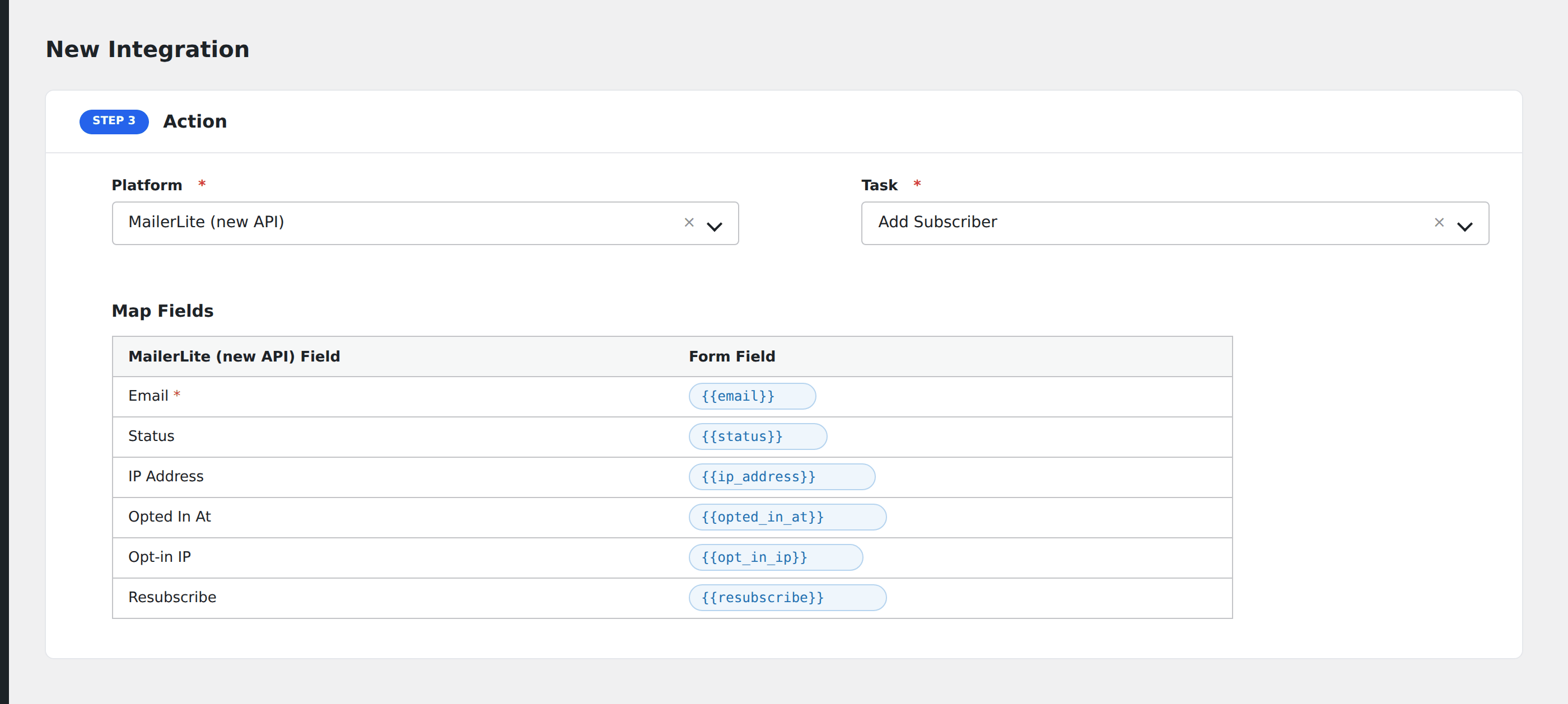
- In Action → Platform, select MailerLite.
- In Task, choose Add Subscriber.
- Pick the target Group (subscribers can be added to multiple groups via separate integrations).
- Map the form fields:
- Email (required), Name, Last Name.
- Status (active / unsubscribed / unconfirmed / bounced / junk).
- Custom subscriber fields by name (matched against your MailerLite account’s defined fields).
- Optional: configure Conditional Logic.
- Click Save Integration.
Tasks supported
Add Subscriber
Creates or updates a MailerLite subscriber (matched by email) and assigns them to the chosen group. Re-submissions safely update the subscriber without creating duplicates.
Conditional logic example
Add a subscriber to your “Engaged readers” group only when the form’s is_active_member hidden field is “yes”. Default newsletter signups go to a general group via a separate integration.
Troubleshooting
“Authentication failed”
The new MailerLite uses tokens that start with a JWT-style structure. The legacy Classic API key won’t work here: generate a fresh token from the new MailerLite account’s Integrations page.
Account on Classic vs new
If you’re not sure which platform your account is on: log in to MailerLite. If the URL is dashboard.mailerlite.com, you’re on the new platform (use this doc). If it’s app.mailerlite.com/legacy, you’re on Classic (use the legacy doc).
Related docs
- MailerLite Classic: for legacy accounts
- Send Contact Form 7 to MailerLite
- Send WPForms to MailerLite
- Conditional Logic