 AFI
AFI
Close
Close is a sales CRM built for inside sales teams, focused on calling, emailing, and pipeline management. Advanced Form Integration creates leads, contacts, and opportunities in Close from your WordPress form submissions.
What you’ll need
- An active Close account.
- A Close API Key (see below).
- The Advanced Form Integration plugin installed and activated.
Get your Close API key
Close authenticates API requests using HTTP Basic Auth with your API key as the username.
- Sign in to your Close dashboard.
- Go to Settings → API Keys.
- Generate a new API key and copy it.
- In WordPress, go to AFI → Settings → Close.
- Click Add Account, paste the key, and give the account a name.
- Click Save.
Create the integration
- Go to AFI → Add New.
- Give the integration a name, for example
Lead form to Close. - Under Trigger, pick the form plugin and the specific form you want to listen on.
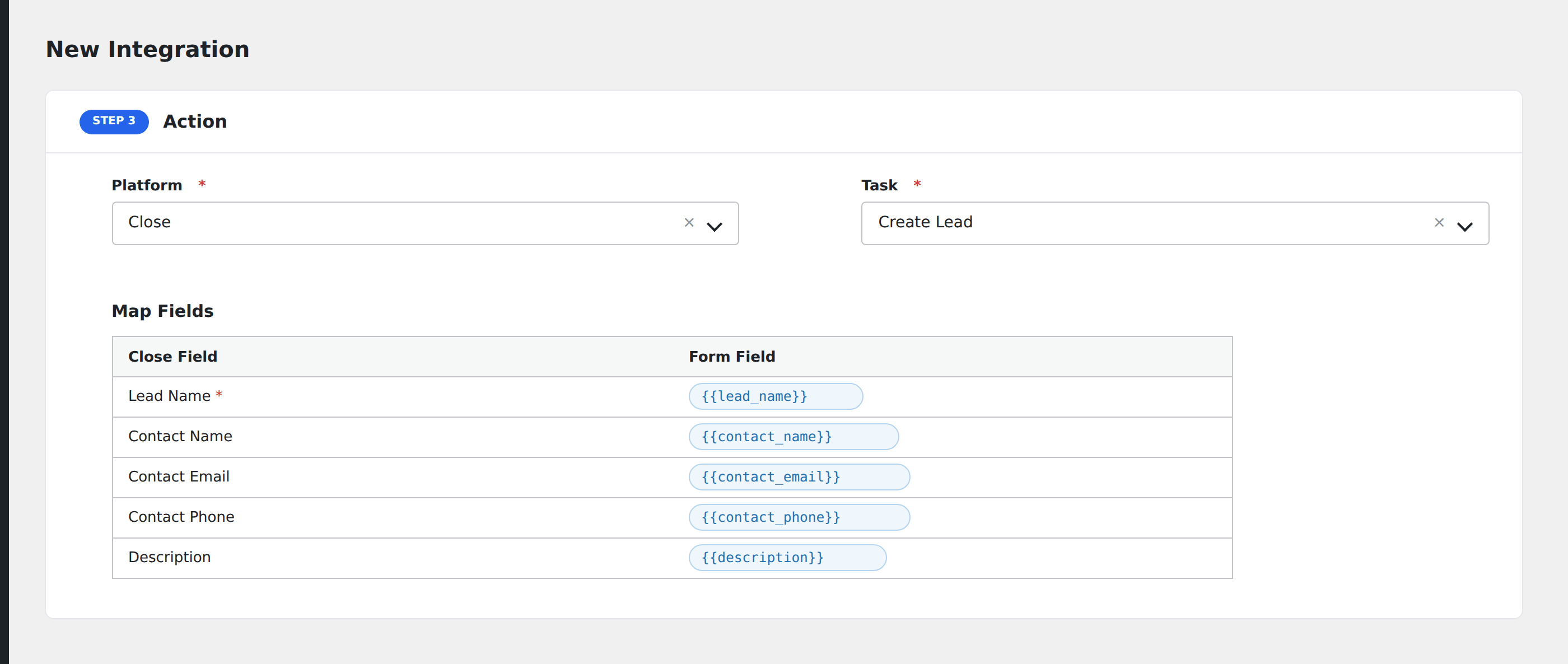
- Under Action → Platform, select Close.
- In Task, choose Create New Lead, Contact, Opportunity.
- Pick the saved account in the Close Account dropdown.
- Map your form fields onto the Close fields listed below.
- Optional: open Conditional Logic to limit which submissions are sent.
- Click Save Integration.
Tasks supported
Create New Lead, Contact, Opportunity
Creates a lead in Close via POST /api/v1/lead/ (upsert by lead name). If contact fields are mapped, a contact is created and linked to the lead. If opportunity fields are mapped, an opportunity is created and linked.
Lead fields
| Field | Field key | Notes |
|---|---|---|
| Name [Lead] | lead_name |
Required. Company/organization name. |
| URL / Description | lead_url, lead_description |
|
| Address fields | lead_city, lead_state, lead_zip, lead_country |
Contact fields
| Field | Field key | Notes |
|---|---|---|
| Name [Contact] | cont_name |
Full name |
| Title | cont_title |
|
| Email fields | cont_officeemail, cont_directemail, etc. |
Multiple email types supported |
| Phone fields | cont_officephone, cont_directphone, cont_mobilephone, etc. |
Opportunity fields
| Field | Field key | Notes |
|---|---|---|
| Status ID | deal_status_id |
|
| Value | deal_value |
In cents (multiplied by 100) |
| Confidence | deal_confidence |
Integer 0-100 |
| Note | deal_note |
Pro features
The Pro integration extends the free version with auto-loaded custom fields for leads, contacts, and opportunities. Pro uses the same Close API key connection and the same task.
Custom fields
Pro fetches all custom fields from Close via GET /api/v1/custom_field/{object} for each object type (lead, contact, opportunity). Every custom field appears in the mapper by name. Custom field values are sent under the custom. prefix in the API payload.
Feature comparison
| Feature | Free | Pro |
|---|---|---|
| Create lead, contact, opportunity | ✅ | ✅ |
| Lead upsert by name | ✅ | ✅ |
| Standard fields | ✅ | ✅ |
| Custom fields (auto-loaded, all objects) | No | ✅ |
Conditional logic example
Only create leads when the form’s company_name field is not empty, so individual enquiries do not create B2B lead records.
Troubleshooting
Nothing arrives in Close
Open AFI → Log and find the most recent entry. AFI stores the request and response, including Close error messages.
API key rejected
Verify the API key in Settings → API Keys in your Close dashboard. If the key was revoked, generate a new one and update it in AFI settings.