 AFI
AFI
Breakdance Form
Breakdance is a modern WordPress page builder by Soflyy with a built-in Form element. Advanced Form Integration captures every Breakdance form submission and routes the data to any of 200+ destinations: CRMs, spreadsheets, email tools, chat apps.
What you’ll need
- The Breakdance plugin installed and activated.
- The Advanced Form Integration plugin installed and activated.
- A Breakdance form built with the Form element on a page or template.
Supported form fields
| Field type | Supported | Output format / notes |
|---|---|---|
| Text | Yes | Same as input |
| Yes | Same as input | |
| Textarea | Yes | Same as input, line breaks preserved |
| Number | Yes | Same as input |
| Phone | Yes | Same as input |
| URL | Yes | Same as input |
| Date | Yes | YYYY-MM-DD |
| Select | Yes | The selected option value |
| Radio | Yes | The selected option value |
| Checkbox | Yes | Comma-separated selected values |
| Hidden | Yes | Same as the hidden value |
| File upload | Yes | Comma-separated public URL(s) |
| Honeypot | Not sent | Anti-spam field, never routed |
Create the integration
- Go to WP Admin → AFI → Add New.
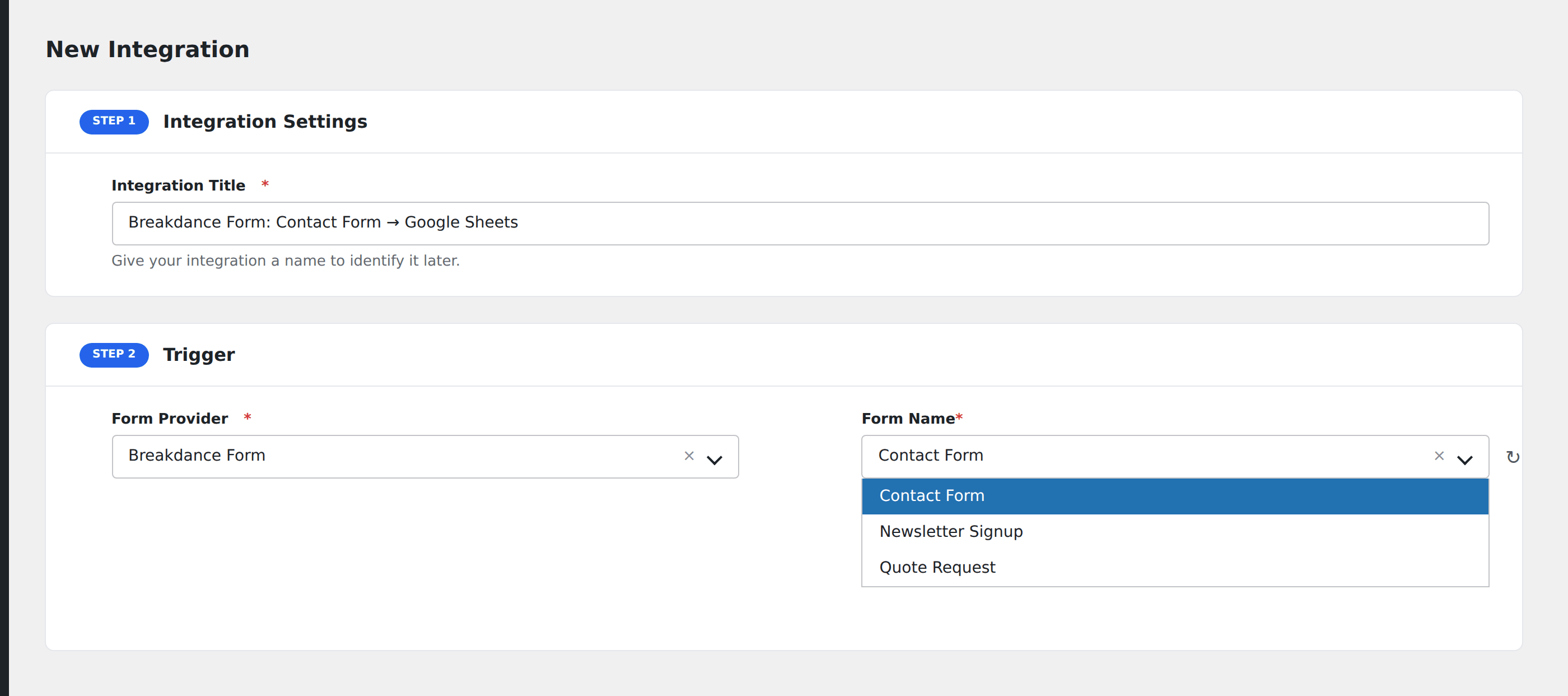
- Enter an Integration Title that names the form and the destination.
- In Trigger → Form/Data Provider, select Breakdance Form.
- In Form/Task Name, choose the form. Breakdance forms are listed by the Form ID set in the form element’s settings.
- In Action → Platform, pick where the data should go and complete the field mapping.
- Optional: configure Conditional Logic.
- Click Save Integration.
Naming forms in Breakdance
Each Breakdance form has a Form ID set on the form element’s settings panel. Set this to something memorable before saving the form (newsletter-signup, demo-request, support-ticket) so you can identify it in AFI later.
Conditional logic example
Goal: route enterprise demo requests to your sales team’s HubSpot pipeline, while smaller signups go to a self-serve nurture sequence in Mailchimp.
Create two integrations on the same form. On the HubSpot integration, open the Conditional Logic panel and add a condition on the company-size field (e.g. Equal To 1000+ employees). The Mailchimp integration stays unconditional or has the inverse condition.
Troubleshooting
Form not appearing in the Form/Task Name dropdown
Breakdance only exposes forms with a configured Form ID. Edit the form, set a Form ID in the form element settings, save, and reload the AFI screen.
Submissions reach the destination but fields are empty
Field names in AFI are based on the Field ID set on each Breakdance field, not the visible label. If you see empty values, edit the form, confirm each field has a unique Field ID, and re-map the integration.