 AFI
AFI
Kali Forms
Kali Forms is a fast drag and drop form builder for WordPress. Connect it to Advanced Form Integration (AFI) and each submission is delivered automatically to your other platforms. Add rows to Google Sheets, subscribe new contacts to Mailchimp, or create leads in a CRM the moment someone submits your form.
What You’ll Need
- The Kali Forms plugin installed and active, with at least one published form.
- Advanced Form Integration, free or Pro. This trigger works fully in the free version.
- An account on the receiving platform, such as Google Sheets or Mailchimp.
How to Create the Integration
- Go to AFI > Add New in your WordPress dashboard.
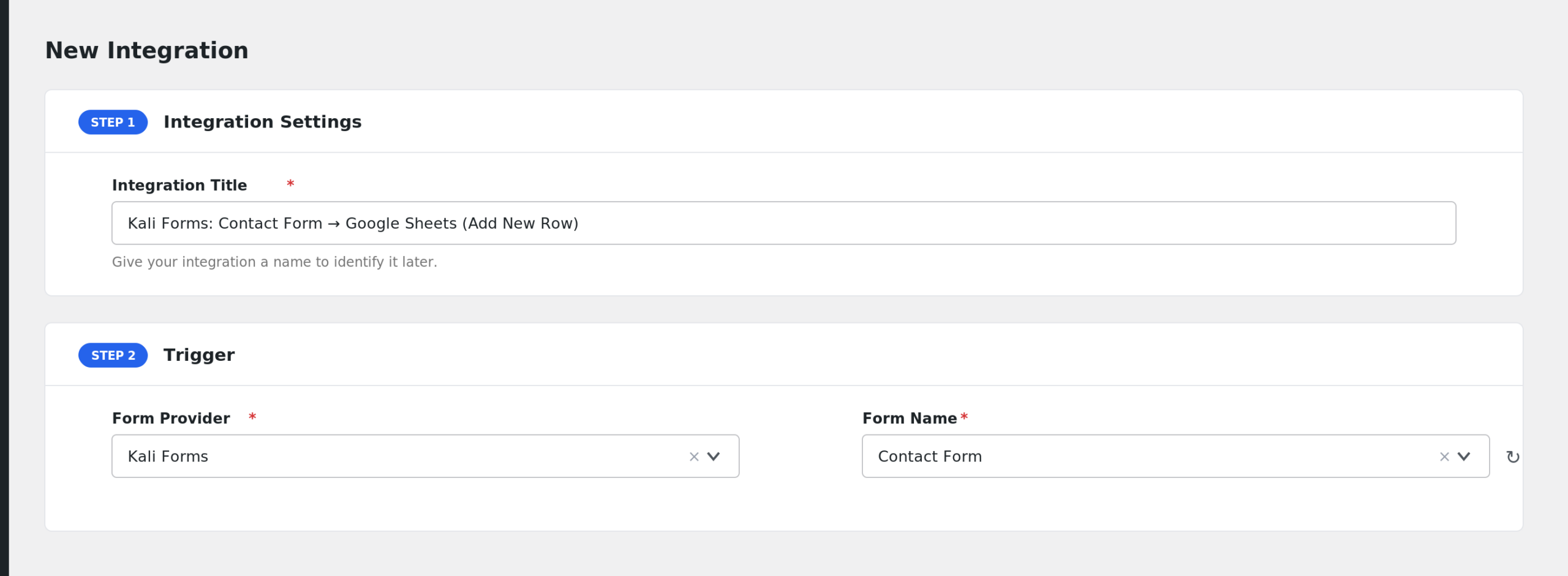
- AFI auto-fills a default Integration Title. Rename it to something recognizable, like “Kali Forms Booking to Google Sheets”.
- In the Trigger section, open the Form Provider dropdown and select Kali Forms. If it is not listed, confirm the Kali Forms plugin is active.
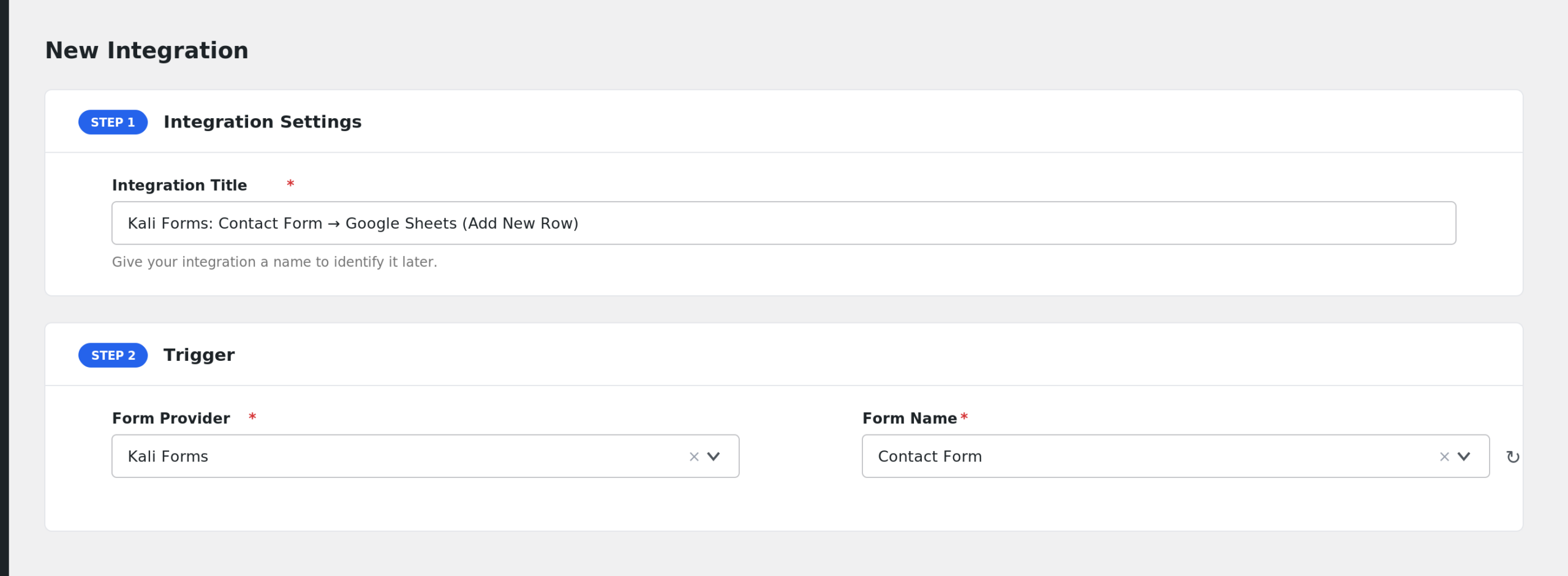
- Choose your form in the Form/Task Name dropdown. AFI lists all published Kali Forms by title.
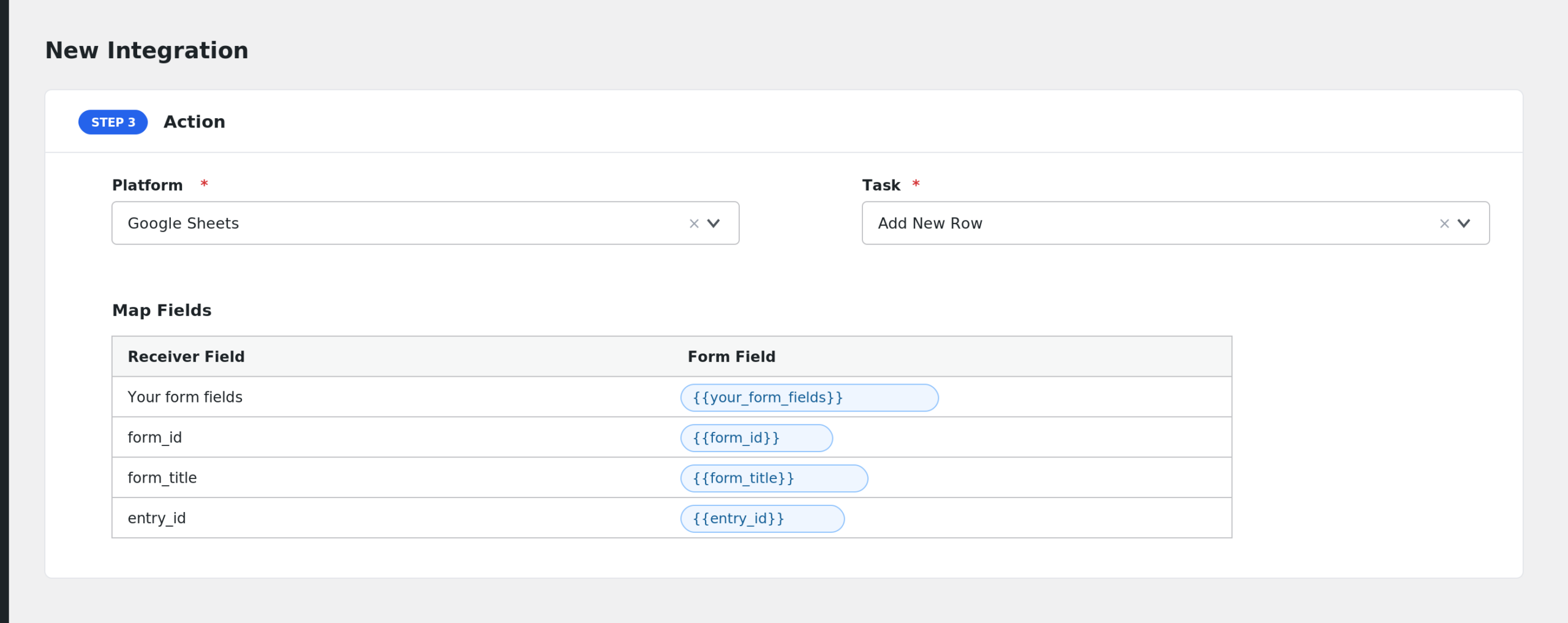
- Under Action, select the receiver platform and connect your account.
- Map the Kali Forms fields to the receiver fields with the tag picker.
- Click Save Integration, then submit a test entry.
Fields You Can Send
AFI reads the field layout saved with your form. Each field appears with its caption as the label. AFI also adds these fields:
| Field | Description |
|---|---|
| Your form fields | Every named field in the form layout, labeled by its caption. |
| form_id | The ID of the form. |
| form_title | The title of the form. |
| entry_id | The Kali Forms submission ID. |
Behind the scenes the payload also carries useful context values such as the submission time, the visitor IP and user agent, the source URL, and the logged-in user’s details, which you can reference as smart tags.
Conditional Logic Example
If your form has a service dropdown, add a condition so the integration only runs when the service field equals Consultation. Consultation bookings go to your calendar tool or CRM, and other requests stay put. Conditional logic requires AFI Pro.
Troubleshooting
Kali Forms is not in the Form Provider list
The Kali Forms plugin must be active. Activate it under Plugins, then reload the AFI screen.
My form is missing from the dropdown
AFI lists only published Kali Forms. Open the form in the builder and make sure it is saved and published, not a draft.
The integration is not firing
AFI hooks into the Kali Forms after-process action, so the form must complete its own processing first. Submit a test entry on the front end, then check AFI > Log to see whether the trigger fired and what the receiver replied.
Fields arrive blank
Field keys come from the name each field has in the builder. If you renamed a field after saving the integration, the old mapping no longer matches. Edit the integration, reselect the form, and remap the fields.