 AFI
AFI
Ninja Tables
Ninja Tables is a popular WordPress data-table plugin from WPManageNinja. Advanced Form Integration appends form submissions as rows in a Ninja Tables table, useful for public directories, leaderboards, or dynamic catalogs.
What you’ll need
- Ninja Tables installed and active on the same WordPress site.
- At least one Ninja Tables table with defined columns.
- The Advanced Form Integration plugin installed and activated.
Create the integration
- Go to AFI → Add New.
- Configure the trigger.
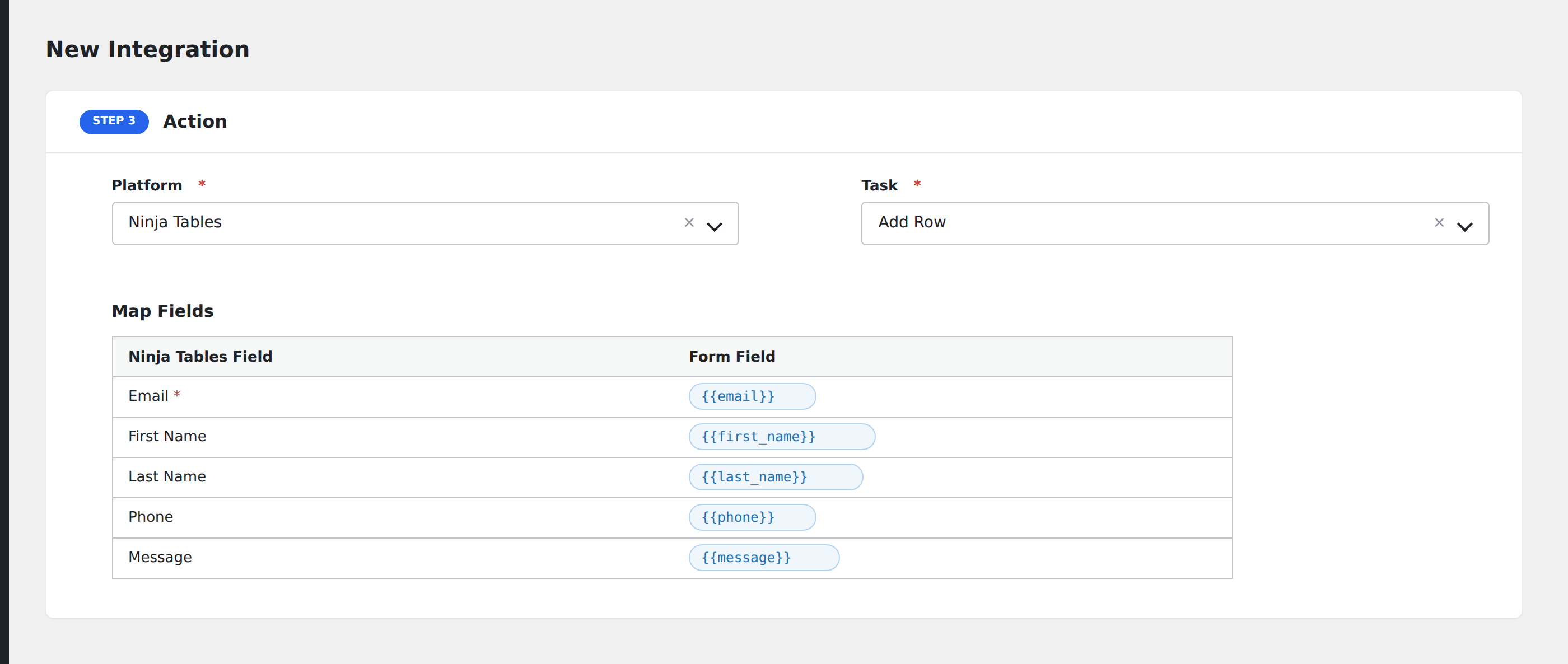
- In Action → Platform, select Ninja Tables.
- In Task, choose Add Row.
- Pick the destination Table.
- Map each table column to a form field. AFI loads the column list from the chosen table.
- Optional: configure Conditional Logic.
- Click Save Integration.
Conditional logic example
Add a row to your public “Featured submissions” table only when the form’s make_public checkbox is checked. Private submissions skip the table and go only to your CRM.
Troubleshooting
Row added but column empty
Column mapping is by column key (the slug-style internal name), not the display label. Confirm the keys in the Ninja Tables editor under each column’s settings.