 AFI
AFI
BuddyBoss (receiver)
BuddyBoss is the community and membership platform for WordPress. As a receiver, AFI registers form submitters as BuddyBoss members and optionally adds them to groups, useful for “Apply for membership” forms or paid-signup gates.
(For the sender version, capturing BuddyBoss member events and routing them elsewhere, see the BuddyBoss sender doc.)
What you’ll need
- BuddyBoss Platform installed and active on the same WordPress site.
- The Advanced Form Integration plugin installed and activated.
Create the integration
- Go to AFI → Add New.
- Configure the trigger.
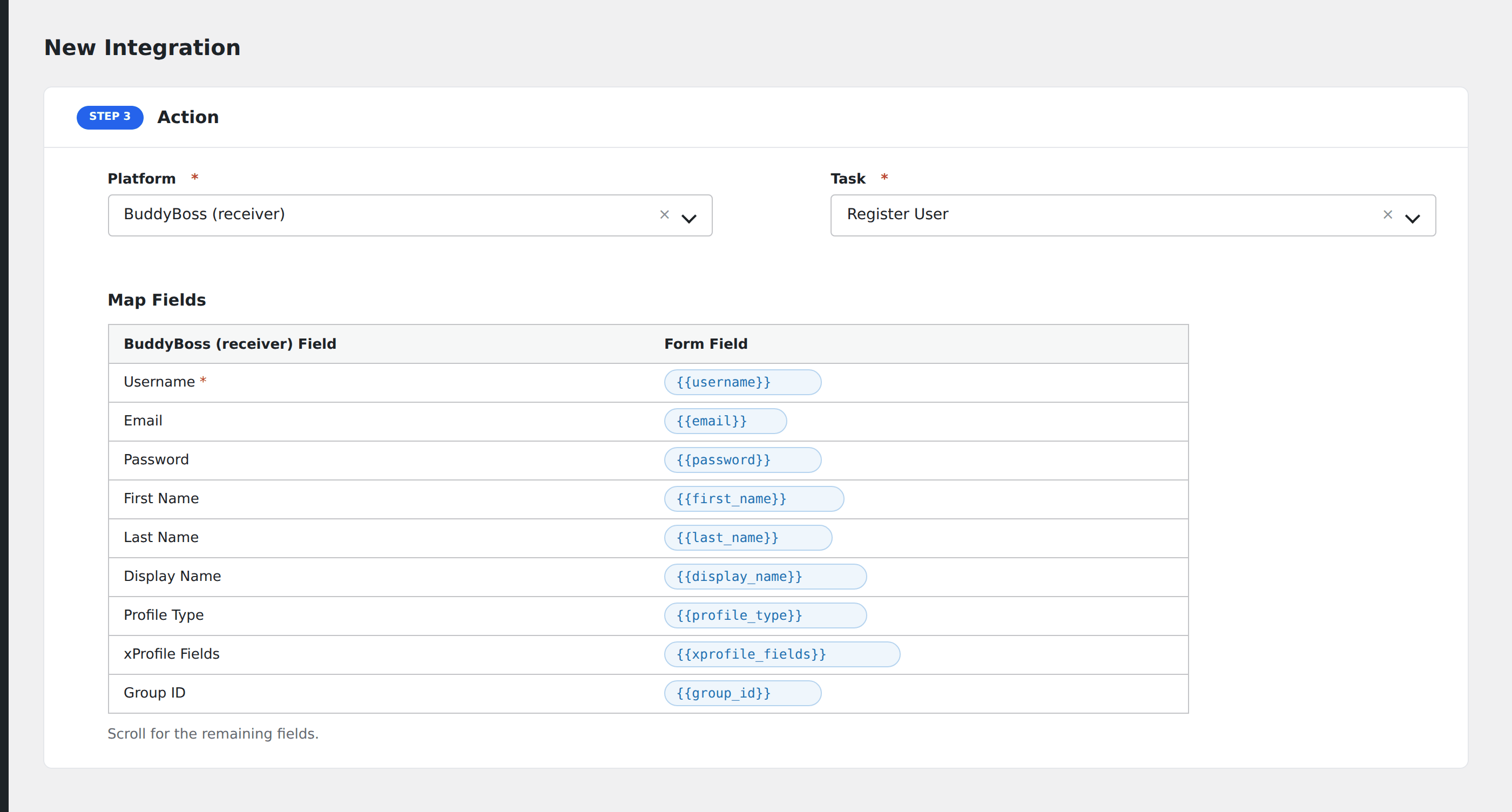
- In Action → Platform, select BuddyBoss.
- In Task, choose Register User or Add to Group.
- Map the form fields:
- For Register User: Username, Email (required), Password (leave unmapped to auto-generate), First Name, Last Name, Display Name, Profile Type, xProfile Fields by name.
- For Add to Group: Group ID, User Email (to identify which user to add).
- Optional: configure Conditional Logic.
- Click Save Integration.
Conditional logic example
Auto-join a new BuddyBoss user to your “Premium members” group only when the form’s tier field equals “premium”. Free signups skip the group entirely.
Troubleshooting
“Email already in use”
WordPress requires unique emails per user. If the email exists, AFI logs the attempt and stops. Use conditional logic on a hidden flag to skip duplicate signups gracefully.
Related docs
- BuddyBoss (sender): for capturing member events
- Send Contact Form 7 to BuddyBoss
- Conditional Logic