 AFI
AFI
Postmark
Postmark is a transactional-email service from ActiveCampaign known for fast, reliable inbox delivery. Advanced Form Integration sends transactional emails through Postmark when a form is submitted, useful for welcome emails, receipts, lead-magnet delivery, or internal alerts.
What you’ll need
- An active Postmark account with at least one verified sender domain.
- A Postmark Server API token (Servers → your server → API Tokens).
- The Advanced Form Integration plugin installed and activated.
Connect Postmark to AFI
- In WordPress, go to AFI → Settings → Postmark.
- Paste the Server API token and click Save Changes.
Create the integration
- Go to AFI → Add New.
- Configure the trigger.
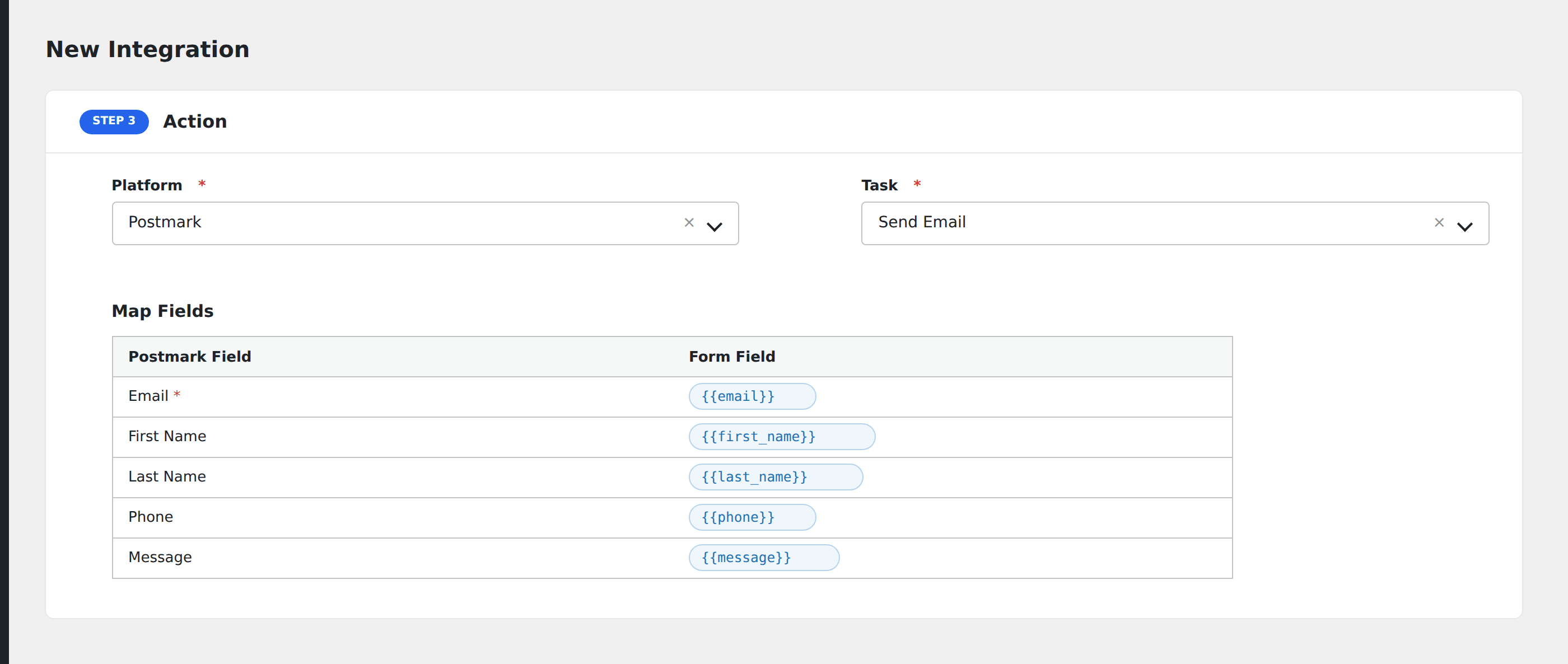
- In Action → Platform, select Postmark.
- In Task, choose Send Email or Send Templated Email.
- Map the fields:
- From (must be a verified sender on your Postmark account).
- To (the recipient, typically map to the form’s email field, or hardcode for team alerts).
- Subject.
- HTML Body and/or Text Body: supports merge tags from the form.
- For templated email: Template Alias or Template ID, plus Template Model (JSON of variables).
- Cc, Bcc, Reply To.
- Tag for grouping in Postmark’s analytics.
- Message Stream (broadcast or transactional).
- Optional: configure Conditional Logic.
- Click Save Integration.
Tasks supported
Send Email
Sends a one-off email built from the form data. Use this when you don’t need a saved template.
Send Templated Email
Renders a Postmark template (defined in the Postmark dashboard) using a model of variables from the form. Recommended for any email you send more than once.
Conditional logic example
Send a “thank you for upgrading” email only when the form’s plan field is “premium”: free signups receive a different welcome email through a separate integration.
Troubleshooting
“ErrorCode 422: SignatureNotConfirmedYet”
Postmark requires sender domains and/or addresses to be verified before they can send. Verify the From address in Postmark under Sender Signatures.
Email queued but not delivered
Check the Postmark dashboard’s Message Activity tab for the actual delivery status: Postmark separates accepted vs delivered. Bounces and spam complaints are tracked there.