 AFI
AFI
Thrive Quiz Builder
Thrive Quiz Builder is a premium WordPress quiz plugin from Thrive Themes. Advanced Form Integration captures every quiz completion and routes the data to any of 200+ destinations, useful for segmenting leads by quiz outcome.
What you’ll need
- The Thrive Quiz Builder plugin installed and activated.
- At least one quiz published.
- The Advanced Form Integration plugin installed and activated.
Quiz data captured
| Field | Format |
|---|---|
| Taker name | Same as input |
| Taker email | Same as input |
| Quiz title | The quiz name |
| Quiz ID | Numeric Thrive quiz ID |
| Score | Numeric (raw or percentage) |
| Outcome / Result | Outcome page label |
| Created at | YYYY-MM-DD HH:MM:SS |
Create the integration
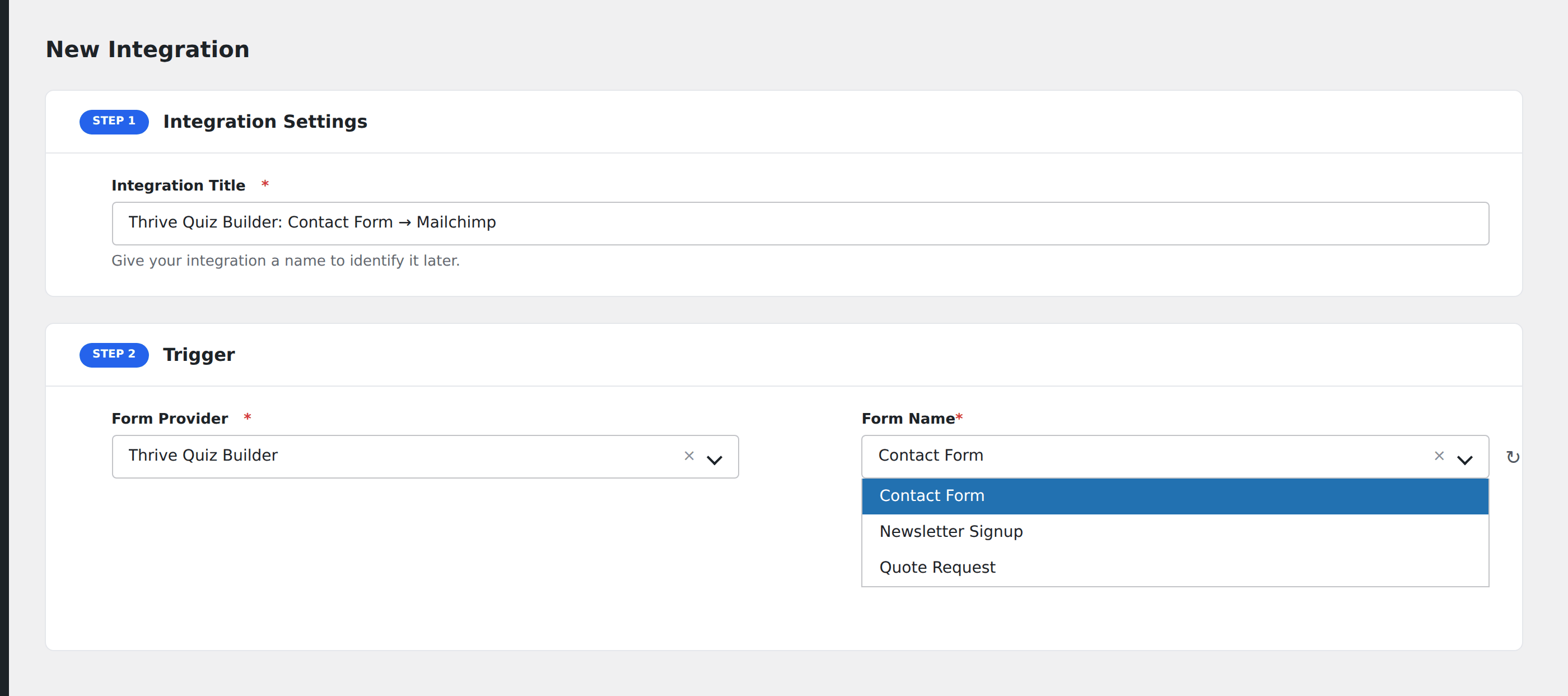
- Go to WP Admin → AFI → Add New.
- Enter an Integration Title, e.g.
Quiz outcome → Mailchimp segment. - In Trigger → Form/Data Provider, select Thrive Quiz Builder.
- In Form/Task Name, choose the quiz.
- In Action → Platform, pick the destination and complete the field mapping.
- Optional: configure Conditional Logic.
- Click Save Integration.
Conditional logic example
Goal: segment quiz takers by their outcome. Beginner outcomes go to a beginner Mailchimp segment, Advanced outcomes go to an advanced segment.
Create two integrations on the same quiz. On each, add a condition with the outcome field, Equal To, the relevant value.