 AFI
AFI
Laposta
Laposta is a Dutch email-marketing platform popular with NL and Belgian small businesses. Advanced Form Integration sends form submissions to Laposta as new subscribers on a chosen mailing list. the Pro version adds full custom-field mapping.
What you’ll need
- An active Laposta account.
- A Laposta API Key (Settings → API).
- The Advanced Form Integration plugin installed and activated.
Get your Laposta API key
- Log in to your Laposta dashboard.
- Go to Settings → API.
- Generate a new API key or copy an existing one.
Connect Laposta to AFI
- In WordPress, go to AFI → Settings.
- Enable Laposta and click Save Changes.
- Open the Laposta tab.
- Paste the API Key and click Save Changes.
Create the integration
- Go to AFI → Add New.
- Configure the trigger.
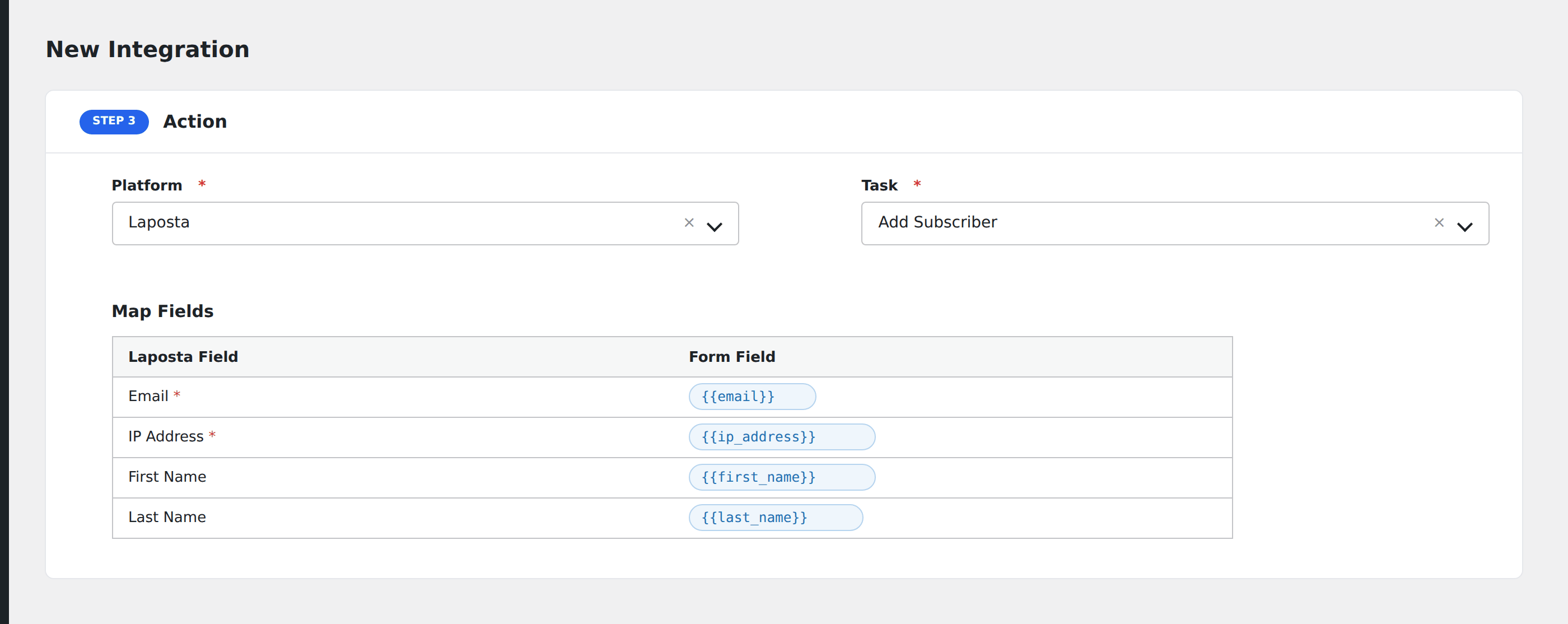
- In Action → Platform, select Laposta (or Laposta [PRO] if using Pro).
- In Task, choose Add Subscriber.
- Pick the Laposta List: AFI loads your lists from Laposta automatically.
- Map the form fields:
- Email (required).
- IP Address (for compliance audit trails).
- On Pro: any custom fields configured on the chosen list, auto-loaded after list selection.
- Optional: configure Conditional Logic.
- Click Save Integration.
Tasks supported
Add Subscriber
Adds the form submitter as a contact on the chosen Laposta mailing list. Re-submissions update the existing subscriber rather than creating duplicates.
Pro features
The Pro Laposta integration adds custom field auto-load. Pick a list and AFI fetches every additional field defined on that list, exposing them in the mapping screen alongside Email and IP Address.
Conditional logic example
Subscribe to the “Newsletter NL” list only when the form’s language field equals “NL”. Other languages go to language-specific lists via separate integrations.
Troubleshooting
Integration doesn’t fire
Open AFI → Log and find the most recent entry. The log shows the request payload sent to Laposta and the response received, usually pointing straight at the cause.
Custom field not visible
Custom fields are available in the Pro version. The free integration includes Email and IP Address.